
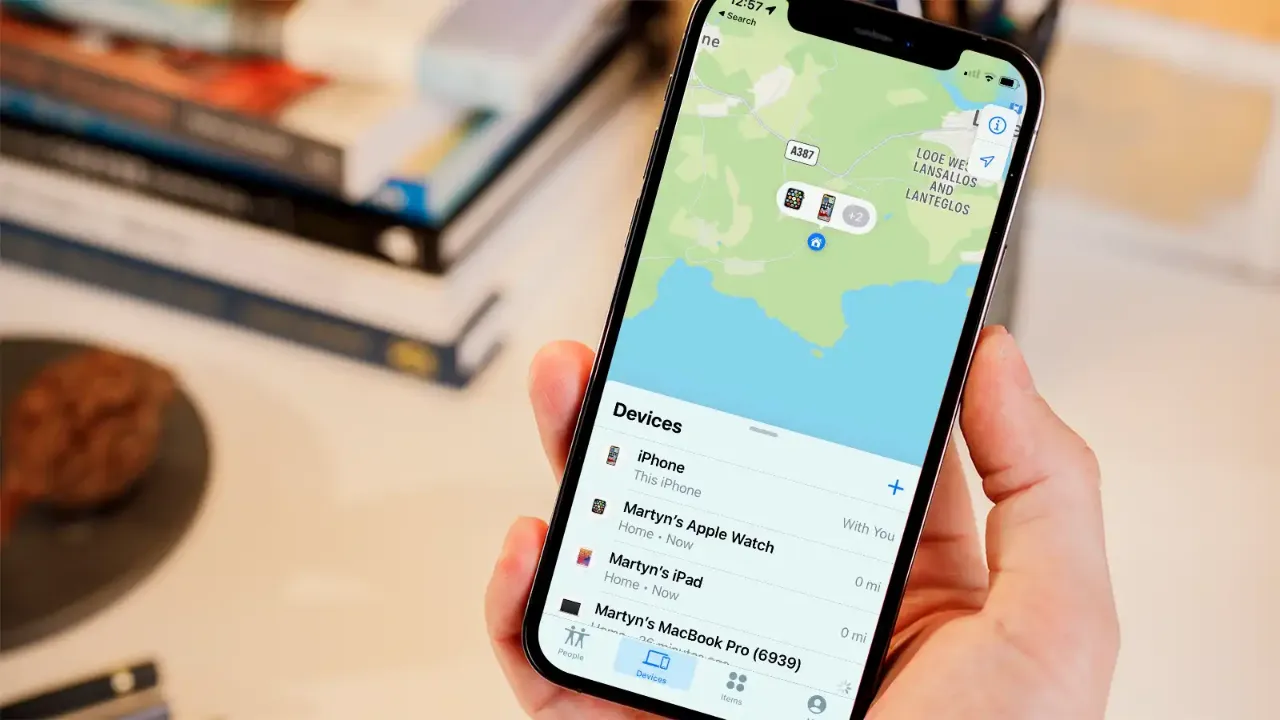
Losing an iPhone can cause panic for many people—especially if the device is turned off, out of battery, or stolen. However, by 2025 Apple has taken lost iPhone tracking to a new level: even when powered off, it’s possible to locate the device and determine its position. In this article, we’ll explain in detail how iPhone tracking works and what solutions Apple offers through the Find My system.
Apple’s Find My system is now capable of locating offline and even powered-off devices. This means that if your Apple device runs out of battery or is intentionally turned off, it can still signal its location via Bluetooth to nearby Apple devices.
This technology has been available since iOS 15, but by 2025, iOS 18 offers even more precise location tracking, built on the same infrastructure as AirTags.
Open the Find My app on another Apple device, or log in at iCloud.com
Select the Devices tab and click on your lost iPhone
→ You’ll see the last known location, or the current one if the device is active
If the device is offline or turned off, Apple will keep updating the last known location and notify you when it comes back online
Finding a powered-off iPhone is no longer impossible. iPhones can emit low-energy Bluetooth signals even when turned off. These signals are detected by other Apple devices and securely transmitted to Apple’s servers.
This allows the system to show the device’s last known—or even approximate—location, which is extremely useful against theft.
Many people believe that a turned-off iPhone cannot be tracked—but this is no longer true. By 2025, Apple’s Location Network uses billions of devices to provide real-time positioning—even when offline.
Moreover, the latest iPhone 15 and iPhone 16 models include built-in UWB (Ultra Wideband) technology, enabling even more precise tracking.
The Find My system not only helps locate your iPhone but also supports recovery. The best part is that you can track your device not only from another iPhone or iPad, but even from a MacBook—meaning you can manage your iPhone’s security and location from any Apple device.
You can lock your iPhone remotely
The device becomes unusable until the owner logs in
Find My stores the last known location for days and notifies you when the device becomes available again
Tip: If you haven’t already, enable offline finding on your iPhone! This is one of the most effective ways to locate your device if it’s lost, stolen, or out of battery.
If you need help, feel free to visit our store—we’ll do our best to solve your problem. The MacSzerez team is ready to help you recover your phone!
További cikkek
Hírlevél feliratkozás