
In terms of appearance, we’re almost getting a second-generation Apple Pencil. One side has a flat surface, while the rest is rounded. The difference is at the top, where a traditional pencil would have an eraser.
By sliding the end of the Pencil, you’ll find a USB-C connector. It’s important that this part slides out rather than being removable. This eliminates a common issue from the first generation: losing the cap.
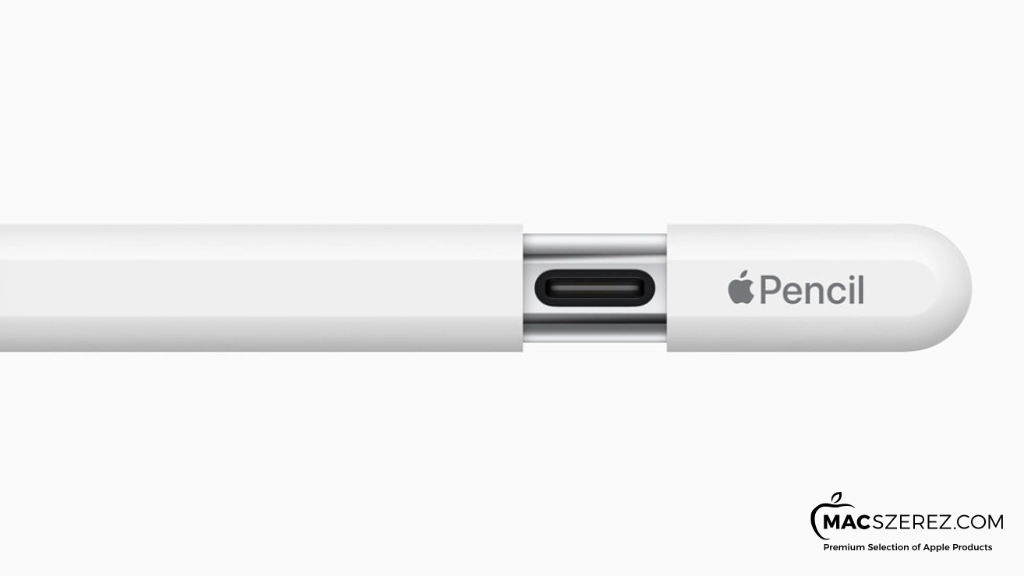
Since the end of the Pencil slides open to reveal the USB-C port, this is also where charging happens. Just like the first generation, this Pencil pairs with iPads via a wired connection.
As a result, many iPad models (unfortunately) will not support it—only those with a USB-C port.
However, one downside is that you’ll always need a USB-C cable for pairing and charging. This can be inconvenient if you don’t have one with you.
From what we’ve seen, this new Pencil is ideal for those who like some features (and design) of the second generation, but don’t necessarily need all functions or want to pay that much.
In essence, the new Pencil does almost everything the first generation can—plus a little more.
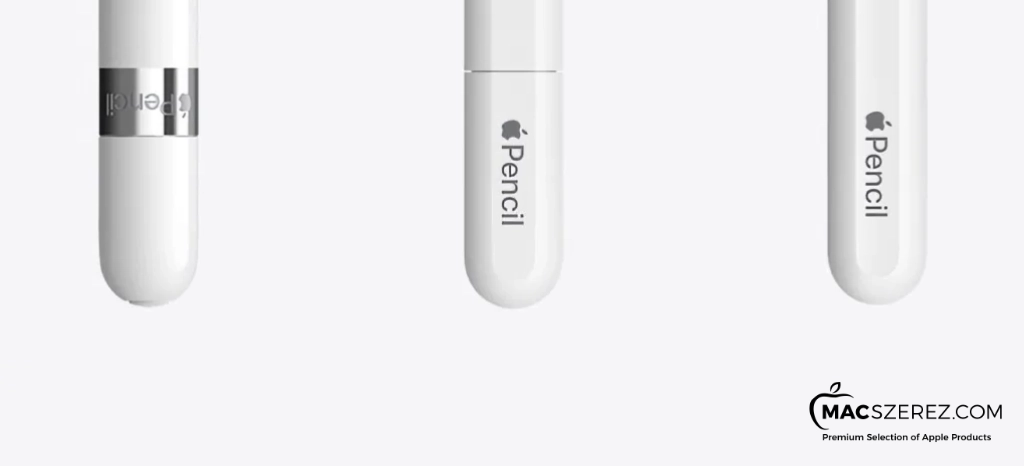
It offers excellent precision and low latency, meaning writing and drawing feels natural, almost like using a real pencil on paper. It also detects tilt, so shading and sketching work well.
However, here comes the first major difference—and not in favor of the new model: pressure sensitivity is missing. This means pressing harder will not change line thickness like it does with the 1st and 2nd generation models.
Next is portability. The second-generation Pencil introduced magnetic attachment, making it easier to carry and reducing the chance of losing it. The new Pencil also includes this feature.
When it comes to pairing and charging, the most convenient option remains the premium model (2nd gen), which works wirelessly via magnetic connection. The new Pencil inherits the first-generation wired method, so this is a compromise.
The cap cannot be lost (which is a positive), but you’ll still need a cable due to the USB-C connection. The older Lightning method on the 1st gen iPad allowed cable-free connection directly to the iPad.
Another feature is Apple Pencil Hover, which lets you preview strokes when hovering above the display (on supported iPad Pro models). This is available on the new Pencil and the 2nd generation, but not on the 1st gen.
Double Tap is another feature—useful for switching tools quickly while drawing. This is only available on the 2nd generation model.
+1 extra: engraving, which doesn’t affect functionality but allows personalization. This is also exclusive to the 2nd generation.
The second generation is significantly more expensive, but it offers all features without compromise.
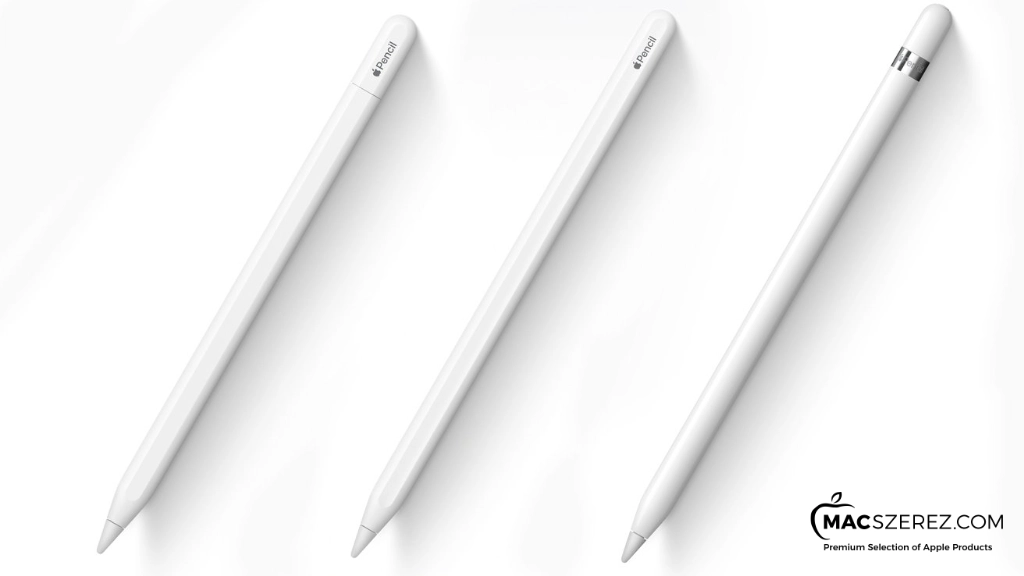
Which one should you buy? It depends.
If you’re looking for an everyday tool, the new USB-C model is perfectly sufficient. It has everything you need, is comfortable, portable, and reasonably priced. The main compromise is the cable requirement.
If you have an older iPad without USB-C and don’t want to upgrade, the new model won’t be compatible—you’ll have to choose between the 1st and 2nd generation.
For users who want all features (like pressure sensitivity), the 2nd generation is the clear choice.
If you need a simple tool for basic tasks, the 1st generation is still a solid option.
Some iPads only support the 1st generation—so in those cases, there’s no real choice.
For those who want more but don’t need everything and don’t want to spend as much, the 1st generation is a good middle ground.
And finally, for professionals, artists, or enthusiasts who want the best of everything—the 2nd generation is the recommended option.
Don’t have an iPad yet? Click here to explore our tested, premium used iPad models!
Melyiket érdemes megvenni? Attól függ.. Amennyiben csak a mindennapokra használja az ember, teljesen elegendő a most kidobott USB-C modell. Minden tud ami kell. Kényelmes, könnyen hordozható és az ára is barátságos. Kompromisszumok közé viszont mindenféleképpen be kell sorolni a már többször is említett kábel ügyet.
Azoknak akiknek olyan, régebbi iPad modelljük van ami nem USB-C-vel rendelkezik, és még nem szeretnének válatni, azoknak az új termék kiesik. Csak az első és a második generáció közül tudnak választani. Itt a választás könnyű. Pro felhasználóknak ott a “mindent tudó” gen. 2. Azoknak akiknek alap szintű dolgokra kell, bőven elég a gen. 1.
Vannak olyan iPad-ek is amik csak és kizárólag az első generációt támogatják. Itt nincs is kérdés, sem választási lehetőség.
Azoknak viszont akiknek kompatibilitás szempontból mindhárom szóba jöhet, és egy kicsit többre vágynak (nyomásérzékenység), viszont nem akarnak annyit költeni és nem is kell olyan sok extra, egyértelműen ott a gen. 1.
És végül az abszolút mindenből a legtöbbet akarók, a profi rajzolók vagy csak simán a fanatikusok. Nos, nekik csakis a második generációt javasoljuk.
Minek a Pencil ha nincs hozzá iPad-ünk? Ide kattintva megnézheted bevizsgált, használt prémium iPad modelljeinket.
További cikkek
Hírlevél feliratkozás